
Line Sweep Tools LST Cable and Antenna Analyzer Post-Processing Software
PC software for processing line sweep, PIM, S-parameter and transmission traces from Anritsu handheld instruments and generating PDF or DAT reports.
- File types
- DAT, VNA, and PIM files
- Report output formats
- PDF and/or DAT
Overview
Line Sweep Tools (LST) is Anritsu's PC-based post-processing software for line sweep and PIM (passive intermodulation) traces captured with Anritsu handheld RF instruments. It is the current generation of the Handheld Software Tools package and also handles common S-parameter and transmission measurements. Users collect traces from the instrument, verify them with markers and limit lines, and report the results in PDF or DAT file format.
Marker and limit line presets
LST provides seven sets of marker presets. Once configured, a preset applies a complete set of markers to a trace with a single button press, so markers land in the same positions on every trace. A "next sweep" button steps to the following trace, which speeds up the review of large numbers of line sweeps.
Quick Names
Line sweep file names, titles and subtitles often have to be changed to match a specified standard before traces are submitted. The Quick Name Matrix lets the user assemble the final file name, title or subtitle from pre-written text segments by pressing a few buttons, so this task can be completed in the office rather than in the field.
Report generation and instrument compatibility
LST generates reports for both PIM traces and line sweeps in PDF format and can also write files in the DAT format. It reads traces from a wide range of Anritsu handheld instruments, including Site Master, PIM Master, Spectrum Master, Cell Master, BTS Master, LMR Master and VNA Master models, and in some cases older A-series Site Masters such as the S331A.
Key Features
- PC-based post-processing of line sweep and PIM traces for reporting
- Handles common S-parameter and transmission measurements
- Seven sets of marker presets applied to a trace with one button press
- "Next sweep" button advances to the next trace with a single press
- Limit lines and markers for verifying that traces are correct
- Quick Name Matrix builds file names, titles and subtitles from pre-written text segments
- Automated report generation for PIM traces and line sweeps in PDF format
- Creates files in the DAT format
- Collects traces directly from the instruments
- Compatible with a wide range of Anritsu handheld instruments
- Reads Handheld Software Tool files captured by discontinued A-series Site Masters
- Smith Chart created from other traces for instruments without native Smith Chart output
- Runs on Windows XP SP2 and later, through Windows 10
Specifications
| File types |
DAT, VNA, and PIM files
Analyze Cable, Antenna, and PIM traces, as well as generate reports
|
|---|---|
| Report output formats | PDF and/or DAT |
| Marker preset sets |
7
Apply a set of markers to a trace with one button press
|
|---|
| Site Master |
S113B, S114B, S251B, S331B, S332B, S113C, S114C, S251C, S331C, S332C, S810C, S820C, S311D, S312D, S331D, S332D, S325D, S810D, S820D, S820E, S331E, S332E, S361E, S362E, S331L, S331P
Cable and Antenna Analyzer Mode Measurements; Transmission Measurement, Two Port Cable Loss/Gain, PIM and Smith Chart support vary by model
|
|---|---|
| PIM Master |
MW82119A, MW82119B
Passive Intermodulation (PIM) Measurements
|
| Spectrum Master (supporting PIM Analyzers MW8208A, MW8209A, MW8219A) |
MS2711E, MS2712E, MS2713E, MS2721B, MS2722C, MS2723C, MS2724C, MS2725C, MS2726C
Passive Intermodulation (PIM) Measurements
|
| Cell Master |
MT8212A, MT8212B, MT8212E, MT8213E
Cable and Antenna Analyzer Mode Measurements; MT8212E and MT8213E add Transmission Measurement, PIM and Smith Chart
|
| BTS Master |
MT8222A, MT8221B, MT8222B, MT8220T
Cable and Antenna Analyzer Mode Measurements, PIM Measurements and Smith Chart; MT8221B, MT8222B and MT8220T add Two Port Cable Loss or Two Port Gain
|
| LMR Master |
S412D, S412E
Common Field Mode Measurements and Smith Chart; S412E adds Insertion Loss and Common Vector Network Analyzer Measurements
|
| VNA Master |
MS2024A, MS2026A, MS2034A, MS2036A, MS2024B, MS2025B, MS2026B, MS2028B, MS2034B, MS2035B, MS2026C, MS2028C, MS2036C, MS2038C
Smith Chart and Common Vector Network Analyzer Measurements; Common Field Mode Measurements and Insertion Loss support vary by model
|
| Legacy file support |
Hand Held Software Tool files captured by the discontinued "A" series Site Masters
In some cases going all the way back to A series Site Masters such as the S331A
|
| Common Field Mode Measurements | Return Loss (RL); Voltage Standing Wave Ration (VSWR); Distance to Fault, Return Loss (DTF-RL); Distance to Fault, VSWR (DTF-VSWR); Cable Loss (CL); Smith Chart; Phase |
|---|---|
| Common Vector Network Analyzer Measurements | LogMag vs. Frequency – S11, S12, S22; LogMag vs. Frequency – S21; LogMag vs. Distance – S11, S22; SWR vs. Frequency – S11, S22; SWR vs. Distance – S11; Phase vs. Frequency – S11, S12, S21, S22; Phase vs. Distance – S11; LogMag/2 vs. Frequency – S11; Real Impedance vs. Frequency – S11; Imaginary Impedance vs. Frequency – S11; Smith Chart vs. Frequency – S11, S12, S21, S22; Group Delay – S11, S12, S21; Vector Voltmeter |
| Operating system | Windows XP, Service Pack 2 or higher; Windows Vista (32 bit or 64 bit); Windows 7 (32 bit or 64 bit); Windows 8 (32 bit or 64 bit); Windows 10 (32 bit or 64 bit) |
|---|---|
| RAM |
1 GB
Minimum
|
| Available hard disk space |
1 GB
Minimum
|
Applications
- Cable and antenna line sweep analysis
- Passive intermodulation (PIM) trace analysis
- Return loss and distance-to-fault reporting
- Line sweep report preparation for site acceptance
- Antenna and cable service
- S-parameter and transmission measurement review
- Vector network analyzer trace post-processing
Documents & Resources
Related Products
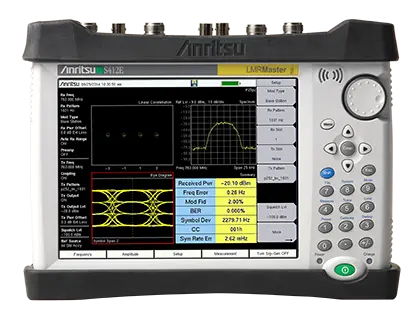
Handheld LMR test set combining a P25/DMR/TETRA/NXDN signal analyzer and generator, a 9 kHz–1.6 GHz spectrum analyzer and a 500 kHz–1.6 GHz VNA.
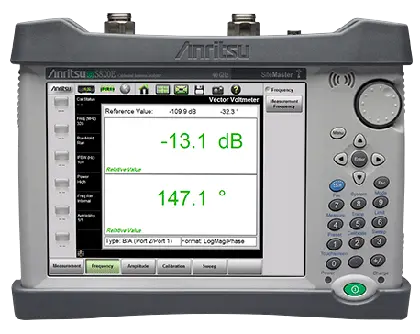
Handheld microwave cable and antenna analyzer covering 1 MHz to 40 GHz with optional VNA and Vector Voltmeter modes.
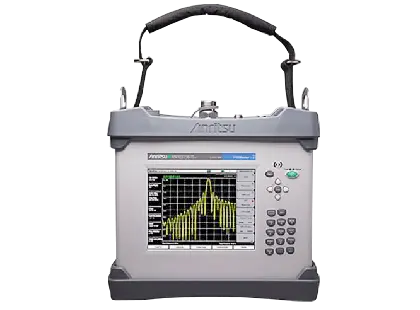
Battery-operated 40 W portable PIM analyzer with optional Site Master cable and antenna analyzer for field certification of cell sites.
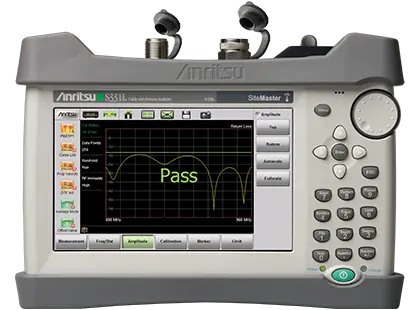
Rugged handheld 2 MHz to 4 GHz cable and antenna analyzer with built-in InstaCal module, 50 MHz to 4 GHz power meter and over 8 hours of battery life.
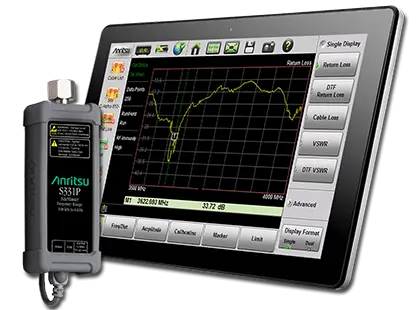
Pocket-sized, USB-powered headless cable and antenna analyzer covering 150 kHz to 4 GHz or 6 GHz, including LTE-U frequencies.