Xgig 16G Fibre Channel Load Tester for Switch and Fabric Load Testing
Xgig load tester generating full line rate 1/2/4/8/16G Fibre Channel traffic to stress-test switches and fabrics.
- Line rate
- 1.0625, 2.125, 4.25 Gbps Fibre Channel
- Line rate
- 1.0625, 2.125, 4.25 or 8.50 Gbps Fibre Channel
- Line rate
- 14.025 Gbps Fibre Channel
- Class of services
- Class 3
Overview
The Xgig Fibre Channel Load Tester adds Fibre Channel traffic generation to the Xgig Unified Protocol Analysis and Test platform, which combines multiple protocols and test functions in one chassis. It is the first-generation tool offering a 14 Gbps Fibre Channel (16 GFC) protocol. Eight traffic profile engines assigned to each physical Xgig port transmit traffic patterns at and above the maximum legal data rate, up to 14 Gbps, to simulate extreme traffic conditions.
Stress-testing a network at and above the maximum legal data rate is a key step in verifying the reliability of Fibre Channel equipment. The load tester replaces test setups built from multiple servers and storage arrays: users construct fully meshed data communication topologies, generate traffic loads, and monitor both transmitted and received data streams. It is used to test Fibre Channel fabrics and switches for performance, data integrity, robustness, flexibility, and scalability, and offers a cost-effective alternative for high-port-count switch testing.
By emulating N_Port and N_Port ID Virtualization (NPIV) behaviour, with up to 255 NPIV ports per physical port, the load tester conducts fabric and port login processes and configures a variety of port topologies among ports in the same zone, which also exercises fabric and switch virtualization features. Tests are configured in a three-step process through the graphical user interface: configure ports (port group, data speed, NPIV port count, minimum IPG, buffer-to-buffer credit, RSCN, login retry, OX_ID mode), configure traffic patterns (continuous or burst mode, payload pattern and size, topology, error insertion) and configure the link (laser on/off, manual link initialization, manual FLOGI, PLOGI and NPIV login, automatic global start/stop).
Triggering other Xgig functions
The load tester shares its hardware with the other Xgig functions (analyzer, jammer and BERT). Because it generates the traffic, it can detect missing, out-of-order or misdirected frames and trigger analyzer ports through the trigger port on the Xgig chassis to start or stop filling the trace buffer. The trigger frame lists key information such as S_ID, D_ID, SEQ_CNT and OX_ID, which can be used to set up search and filter criteria in TraceView. Control frames can also be captured directly from the load tester and viewed in .CAP format with Xgig TraceView or Wireshark.
Statistics and automation
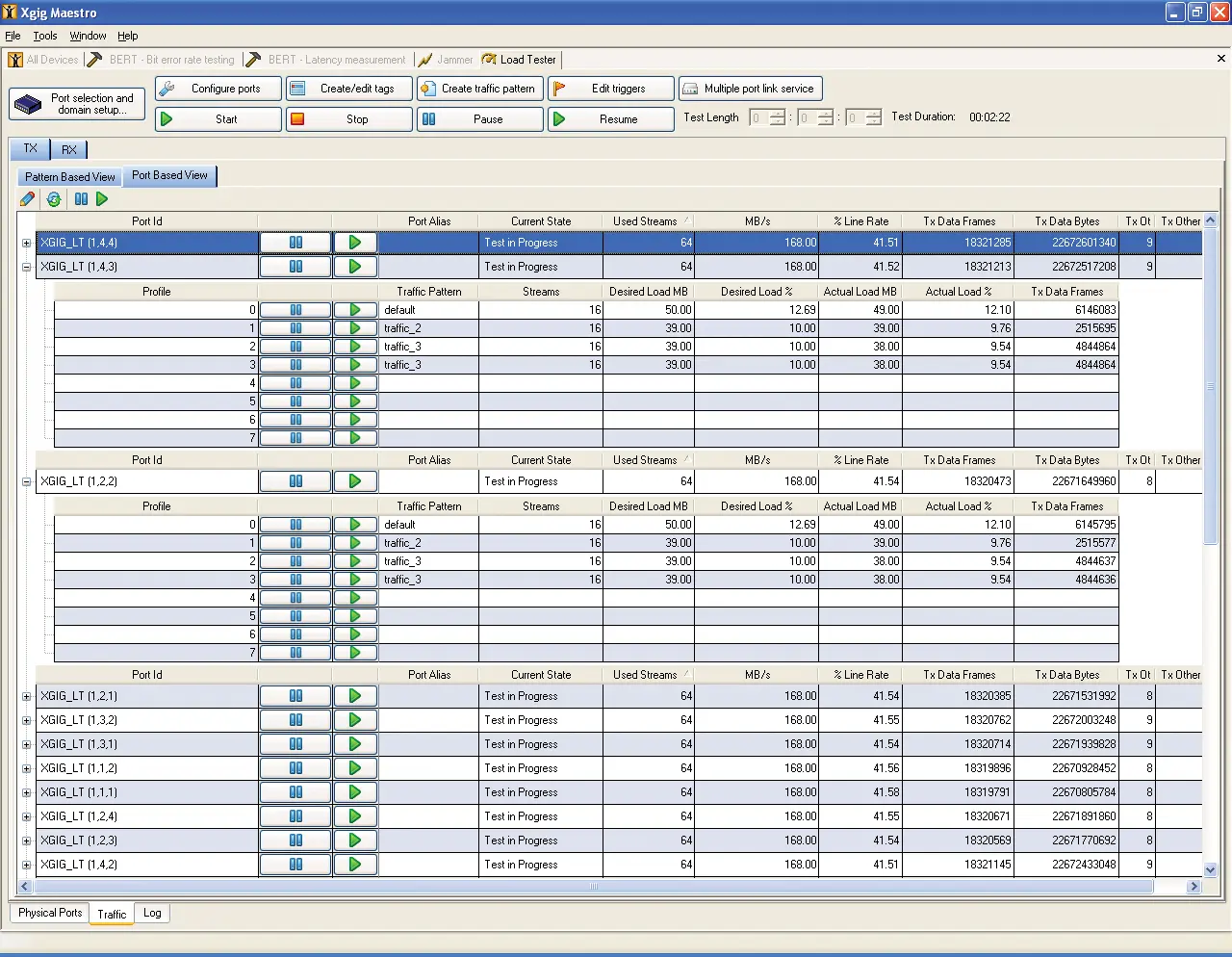
The load tester monitors received and transmitted traffic and presents statistics in spreadsheet pane views, per port or per stream, including data frames, actual and average bandwidth and data rate, login frame count, min/average/max latency and error counters for code violations, CRC and disparity errors, dropped, out-of-order and misdirected frames, and sequencing errors. Statistics are saved automatically to a .csv file. All functions and configurations are accessible through C/C++ and TCL/TK APIs for automated and regression testing.
Maestro software
The load tester is configured with VIAVI Maestro Software, the same GUI used to manage other Xgig functions such as the Fibre Channel and Gigabit Ethernet BERT, the Fibre Channel and 10G Ethernet Load Tester, the 10G Ethernet Delay Emulator, the SAS/SATA Jammer and the SAS/SATA Generator.
Key Features
- Full line rate traffic generation and load testing at 1/2/4/8/16G Fibre Channel
- Supports FCoE topology (with FCoE Load Tester ports)
- Up to 255 NPIV
- Up to 64 time-sync ports for high resolution latency measurement with 10 ns latency accuracy
- Flexible traffic patterns
- Error generation
- C/C++/Tcl APIs for creating automated test scripts
- Extensive statistical reports with error counters
- Large capture buffer size of 256 MB per load tester port
- F_port emulation
- Ability to emulate fiber-pull and verify high availability feature (failover time measurement)
- Guarantees line rate traffic in most stressful test environments
- Integrates verification of Fibre Channel functionality with large-scale network performance testing
- Measures high-resolution latency
- Enables automated testing
- Captures control frames and triggers Xgig Analyzer to analyze the root causes of link issues
- Tests on FCoE to FC topology with Xgig FCoE Load Tester
- Eight traffic profile engines per physical Xgig port
- Fully compatible with other Xgig functions: analyzer, jammer and BERT
- Statistics saved automatically to a .csv file
- Captured control frames viewable in .CAP format with Xgig TraceView or Wireshark
Specifications
|
Line rate
4G Fibre Channel blade
|
1.0625, 2.125, 4.25 Gbps Fibre Channel
On the 4G Fibre Channel blade
|
|---|---|
|
Line rate
8G Fibre Channel blade
|
1.0625, 2.125, 4.25 or 8.50 Gbps Fibre Channel
On the 8G Fibre Channel blade
|
|
Line rate
16G Fibre Channel blade
|
14.025 Gbps Fibre Channel
On the 16G Fibre Channel blade
|
| Class of services | Class 3 |
| Port type | N_Port; NPIV port (up to 255 virtual ports with each physical port) |
|---|---|
| Link service configuration | Automatic login process; customized login re-try count/frequency |
| FCP session | Name Server Registration RFT_ID; Discovery GID_PT; LISM, automatic and user control (OLS, LR); error recovery procedure; RSCN |
| Flow control | Configurable buffer-to-buffer credits from 0 to 256 |
| Inter-packet-gap (IPG) | Adjustable from 3 to 65535 (64K) |
|---|---|
|
Inter-packet-gap (IPG)
16G
|
Adjustable from 4 to 65535 (64K)
For 16G speed
|
| Data rate adjustment | Adjustable from 0 to over 100% of theoretical line rate (IPG=6); data rate dynamically adjustable per each traffic configuration |
| Stream mode | Continuous; Burst |
| Stream capacity | 1024 TX streams with S_ID and D_ID variations per load tester port; 8 different traffic patterns per load tester port |
| Data frame payload | 8+ fixed payload patterns (e.g., CJTPAT, CRPAT); FLOGI frame blasting (Error mode); fixed/random payload size within definable range |
| Port topology (per traffic pattern) | Point-to-point; partially meshed; fully meshed |
| OX_ID (Single/Multi-Exchange) | Fixed and unique per stream on each port (ISL Test Mode); random within definable range; incrementing within definable range |
| Error injection | CRC errors; SOF/EOF errors; zero payload; oversized payload |
| Measurement | TX frames, MBytes, data rate, utilization; RX frames, MBytes, data rate, min/max/average latency |
|---|---|
| Error counters | Sequence errors; out-of-order frame errors; dropped frame errors; misdirected frame errors; code violations; CRC errors; running disparity errors |
| Trigger | TL trigger output on detected errors |
| Capture buffer | 256 MB per load tester port |
| Time-sync ports for latency measurement |
Up to 64
High resolution latency measurement
|
| Latency accuracy | 10 ns |
| Automation | C/C++, TCL |
|---|---|
| Configuration software | VIAVI Maestro Software |
| Maestro operating systems | Windows 2000, Windows XP, Windows Server 2003, Windows Vista (Business and Ultimate version), and Windows 7 (Business and Ultimate version) |
Specifications are taken from the manufacturer's documentation. See the datasheet for complete and current values.
Applications
- Verify functional switch control planes
- Test switch interoperability
- Test switch performance
- Stress-test the switch
- Bring up ASIC
- Fibre Channel fabric and switch scalability and robustness testing
- High-port-count switch testing
- Manufacturing and regression testing