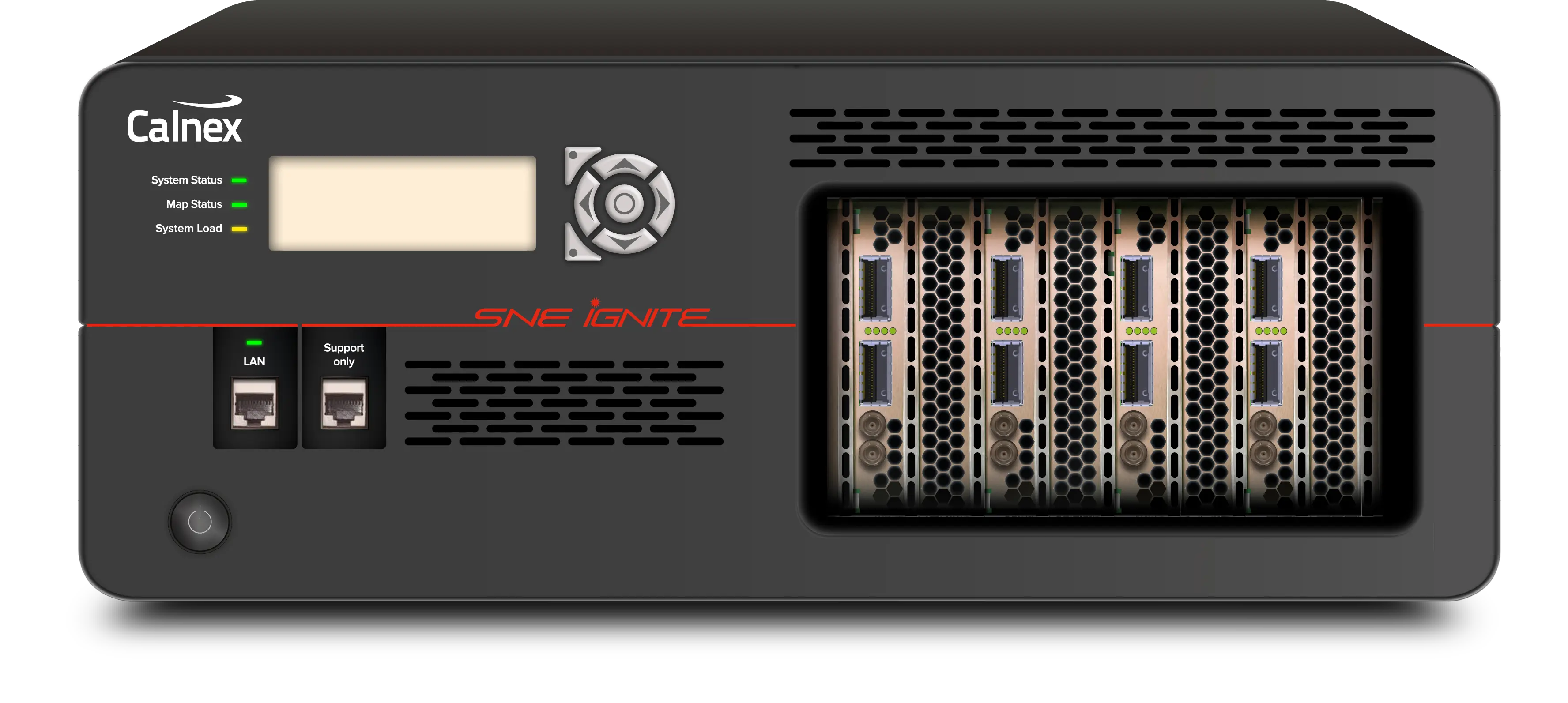
Calnex SNE Ignite FPGA-Based Precision Network Emulator for O-RAN, 5G and DCI
FPGA-based multi-port network emulator with 6.8 µs intrinsic latency and line-rate impairments from 10GbE to 400GbE.
- Optical interfaces – 400GbE
- QSFP-DD (DR4/FR4/LR4/SR4/SR8/LR8/ER8) – 4 ports, 1 bidirectional path
- Optical interfaces – 100GbE
- QSFP28 (LR4/SR4) – 2, 4, 6 or 8 ports
- Optical interfaces – 50GbE
- SFP56 (LR4/SR4) – 2, 4, 6 or 8 ports
- Optical interfaces – 25GbE
- SFP28 (SR/LR) – 2, 4, 6 or 8 ports
Overview
The Calnex SNE Ignite is a multi-port, FPGA-based precision network emulator that applies line-rate network impairments on Ethernet links at 400GbE, 100GbE, 50GbE, 25GbE and 10GbE. It is intended for applications that require high accuracy, such as 5G O-RAN O-DU to O-RU (fronthaul) and O-DU to O-CU (midhaul) vendor interoperability testing against O-RAN WG4 and WG5 latency requirements, and for validating high-capacity datacenter interconnect designs before deployment.
O-RAN interoperability
Using packet and protocol impairments, the SNE Ignite can validate minimum and maximum latency performance against the O-RAN T12_max/T34_max specifications in multi-vendor deployments. O-RAN fronthaul links cannot be tested to interoperability specifications unless the emulator's in-line latency is below 8 µs; the SNE Ignite has an intrinsic latency of 6.8 µs. The manufacturer also positions it for O-RAN WG11 cybersecurity and robustness tests and TIFG.E2E end-to-end tests.
Timing and synchronization
An integrated one-step PTP Transparent Clock allows data flows to be separated and impaired independently without affecting synchronization, regardless of packet size. SyncE pass-through preserves physical-layer frequency synchronization between devices, and an external clock input allows synchronization to a remote frequency reference.
User interface and automation
The SNE Ignite uses the graphical, map-based Web UI of the Calnex SNE platform: impairments are dragged onto a network map and linked in the required order. Automation is available through the Local Timeline Option or a RESTful API, and multiple concurrent users are isolated through port reservation.
Key Features
- FPGA full line-rate throughput for all impairment and transparency features
- Line-rate network emulation at 400GbE, 100GbE, 50GbE, 25GbE and 10GbE
- Configurable as two, four, six or eight 100GbE/50GbE/25GbE/10GbE ports, or four 400GbE ports
- Software upgradeable to 400GbE interface speed option
- Low in-line intrinsic latency of 6.8 μs
- Sub 100 ns PDV and jitter to maintain downstream device lock
- Nanosecond resolution and repeatability
- Delay at line rate of up to 280 ms at 400GbE and up to 42 seconds at reduced bandwidth with Extended Delay Option
- One-step PTP (IEEE1588v2) Transparent Clock with G.8273.3 Class B performance
- SyncE pass-through mode maintains the SyncE clock link between devices
- SyncE and external clock inputs for physical-layer synchronization to a remote frequency reference
- Delay, jitter, drop, error, reorder, duplicate, modify or fuzz Ethernet packets
- Packet modification with optional L2, L3 and L4 checksum regeneration
- Multi-user support with isolation through port reservation
- Graphical map-based drag-and-drop Web UI
- Automation via Local Timeline Option or RESTful API
Specifications
| Optical interfaces – 400GbE |
QSFP-DD (DR4/FR4/LR4/SR4/SR8/LR8/ER8) – 4 ports, 1 bidirectional path
optional
|
|---|---|
| Optical interfaces – 100GbE |
QSFP28 (LR4/SR4) – 2, 4, 6 or 8 ports
optional
|
| Optical interfaces – 50GbE |
SFP56 (LR4/SR4) – 2, 4, 6 or 8 ports
optional
|
| Optical interfaces – 25GbE |
SFP28 (SR/LR) – 2, 4, 6 or 8 ports
optional
|
| Optical interfaces – 10GbE |
SFP+ (SR/LR) – 2, 4, 6 or 8 ports
optional; the web page states up to four pairs of 100 GbE/25 GbE/10 GbE interfaces
|
| Optical adapters | Optical Adapters are provided to convert QSFP28 to SFP28 for 25GbE, and QSFP28 to SFP+ for 10GbE |
| Forward Error Correction (FEC) – 400GbE PAM4 | RS (544,514) KP4 |
| Forward Error Correction (FEC) – 100GbE NRZ |
RS (528,514) KR4
FEC can be disabled at 100GbE
|
| Forward Error Correction (FEC) – 50GbE PAM4 | RS (544,514) KP4 |
| Forward Error Correction (FEC) – 25GbE NRZ |
RS (528,514) KR4
FEC can be disabled at 25GbE
|
| Clock reference | Internal or External (10 MHz) |
| SyncE pass thru | Clock can be recovered on one port and passed transparently to another |
| Passthrough pause frames | As per IEEE 802.3x |
| Passthrough PFC frames | As per 802.1Qbb |
| Impairment profiles |
16 profiles allowing 8 flows of impaired packets in each direction. Each profile can be configured independently.
25GbE/10GbE
|
|---|---|
| Filtering |
MAC Source and Destination Address, Length/Type; VLAN (Priority, VLAN ID & Type), Custom VLAN; Custom VLAN Length, Offset, Mask, Value; MPLS Label, Custom MPLS; Custom MPLS Length, Offset, Mask, Value; IPv4 Source and Destination Address; IPv4 Version No, DiffServ/ToS, Protocol; IPv6 Source and Destination Address; UDP/TCP Source port, Destination port; Custom L3/L4/L5 Length, Offset, Mask, Value
User-configurable filters including ranges and wildcards
|
| GTP filter | Targeted GTP control message impairments (e.g. create session request, modify bearer request, etc.); GTP Version (v1, v2), Type, Tunnel EndPoint ID |
| eCPRI filter |
eCPRI Revision, Concatenation Indicator, Message Type, Encapsulation and Custom
Targeted eCPRI impairments
|
| RoE filter |
Message Type, Flow ID, Length, Ordering Info
Targeted RoE (Radio over Ethernet) impairments
|
| PTP filter | Layer 2 Ethernet, Layer 3/4 UDP IPv4 |
| PTP Transparent Clock |
1-step Transparent Clock
The residence time is measured and added directly into the correction field of the outgoing PTP event message
|
| PTP Transparent Clock performance | G.8273.3 Class B |
| Web browser user interface | Intuitive drag and drop user interface allowing user to draw out their target network on screen, add impairments as required and visualize the network-under-test |
|---|---|
| Local automation | Local automation Timeline Option enables local automation to a 1s resolution |
| Remote control | RESTful API enables full remote control |
| Smart start-up | Automatically launch previous map on boot |
| Multi-user support | Multiple users, share maps, assign ports to individual users |
| Packet modification – position |
Select from byte 0 to byte 127 within the frame
With optional Layer 2, Layer 3, Layer 4 checksum regeneration
|
|---|---|
| Packet modification – granularity |
1 bit to 4 bytes
Any combination of 1 – 4 packet modifier types can be applied in any order to each Profile
|
| Packet modifier types | Overwrite, Invert, Increment, Decrement, Fuzz (PRBS with a user defined seed value) |
| Packet modification mode |
burst (1–10,000), rate (0.00001 to 100%)
Continuous or On/Off/Repeat (applies to all packet types) based on time or number of packets
|
| Delay and jitter distributions |
Constant Delay; Gaussian, Gamma (internet), Uniform and Step distribution of jitter; Import from an external file
Independent delay/jitter distribution can be added to each profile simultaneously; readout of Max, Min Jitter and Max Delay
|
| Jitter range |
1 µs to 400 ms
step size is 1 ns
|
| Timeline | Automate emulation and schedule changes to emulation settings via the user interface; timeline can be looped for continuous playback |
| Minimum delay emulation (intrinsic delay) | 6.8 µs at 10GbE/25GbE/50GbE/100GbE/400GbE |
| Minimum delay emulation (intrinsic delay), Jumbo Frame Mode |
14 µs at 10GbE; 8.85 µs at 25GbE/50GbE/100GbE; 6.8 µs at 400GbE
Jumbo Frame Mode
|
| Line rate delay |
40ms at 400GbE, 80 ms at 100GbE, 160 ms at 50GbE, 320 ms at 25GbE, and 750 ms at 10GbE
Full line-rate delay; delay resolution 1 ns
|
|
Extended delay emulation (line rate)
Extended Delay Option
|
280ms at 400GbE, 320 ms at 100GbE, 640 ms at 50GbE, 1280 ms at 25GbE, and 3200 ms at 10GbE
Extended Delay Option; delay resolution 1 ns
|
|
Extended delay emulation (reduced bandwidth)
Extended Delay Option
|
up to 22 s (all rates at 1G reduced bandwidth); up to 42 s (all rates at 500M reduced bandwidth)
Extended Delay Option
|
| Delay resolution | 1 ns |
| Link flap | Enables the port administrative state to be cycled up/down, down/up, available via the RESTful API |
| PDV and jitter | Sub 100 ns |
| Map statistics | Port and impairment node level packet statistics |
|---|---|
| Statistics refresh | Statistics can automatically refresh every 1s or are available on demand |
| Statistics export | Downloadable via the UI in .csv format; downloadable via the API in .json format |
| RU height | 3.7RU in height |
|---|---|
| Height | Metric: 170 mm, Imperial: 6.7" |
| Width | Metric: 440 mm, Imperial: 17.32" |
| Depth | Metric: 550 mm, Imperial: 21.65" |
| Weight | Metric: 14 kg, Imperial: 30 lb 13.8 oz |
| Active chassis cooling | Front to rear |
| Active PSU cooling | Side to rear, self-contained |
| Total chassis airflow | Maximum 452 CFM |
Specifications are taken from the manufacturer's documentation. See the datasheet for complete and current values.
Applications
- O-RAN fronthaul (O-DU to O-RU) and midhaul (O-CU to O-DU)
- O-RAN WG4 fronthaul delay management tests
- O-RAN WG5 midhaul F1 error handling tests
- O-RAN WG11 cybersecurity and robustness tests
- O-RAN TIFG.E2E fronthaul/midhaul throughput tests
- O-RAN 5G Mobile Edge Computing (MEC)
- 5G core and backhaul
- Datacenter interconnect and migration
- Cloud migration planning
- Telecom and federal applications
- Defense applications
- Customer proof of concept (PoC)
- SLA verification
- IPTV and video
Included
- Optical adapters to convert QSFP28 to SFP28 for 25GbE and QSFP28 to SFP+ for 10GbE
Options & Accessories
| Option | Description |
|---|---|
| Extended Delay Option | Extended Delay Option — Extends line-rate delay to 280ms at 400GbE, 320 ms at 100GbE, 640 ms at 50GbE, 1280 ms at 25GbE and 3200 ms at 10GbE; up to 42 s at reduced bandwidth |
| Local Timeline Option | Local Timeline Option — Local automation to a 1s resolution |
| 400GbE interface speed option | 400GbE interface speed option — Software upgrade to 400GbE interface speed |
Documents & Resources
Related Products
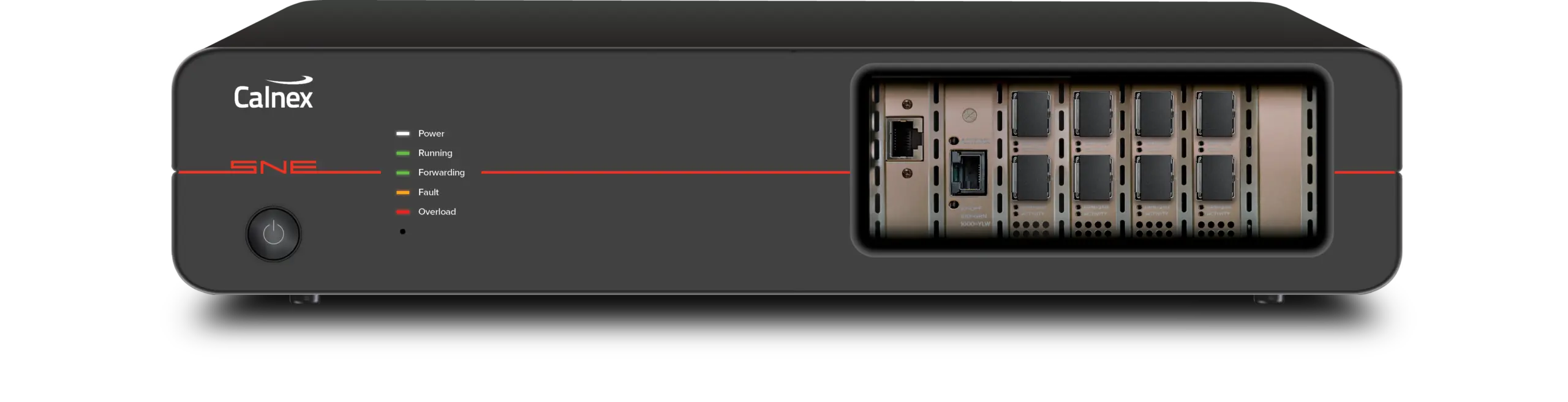
Multi-port, multi-user Ethernet network emulator with 1GbE, 10GbE and 25GbE interfaces, 55+ impairments and a RESTful API for automation.
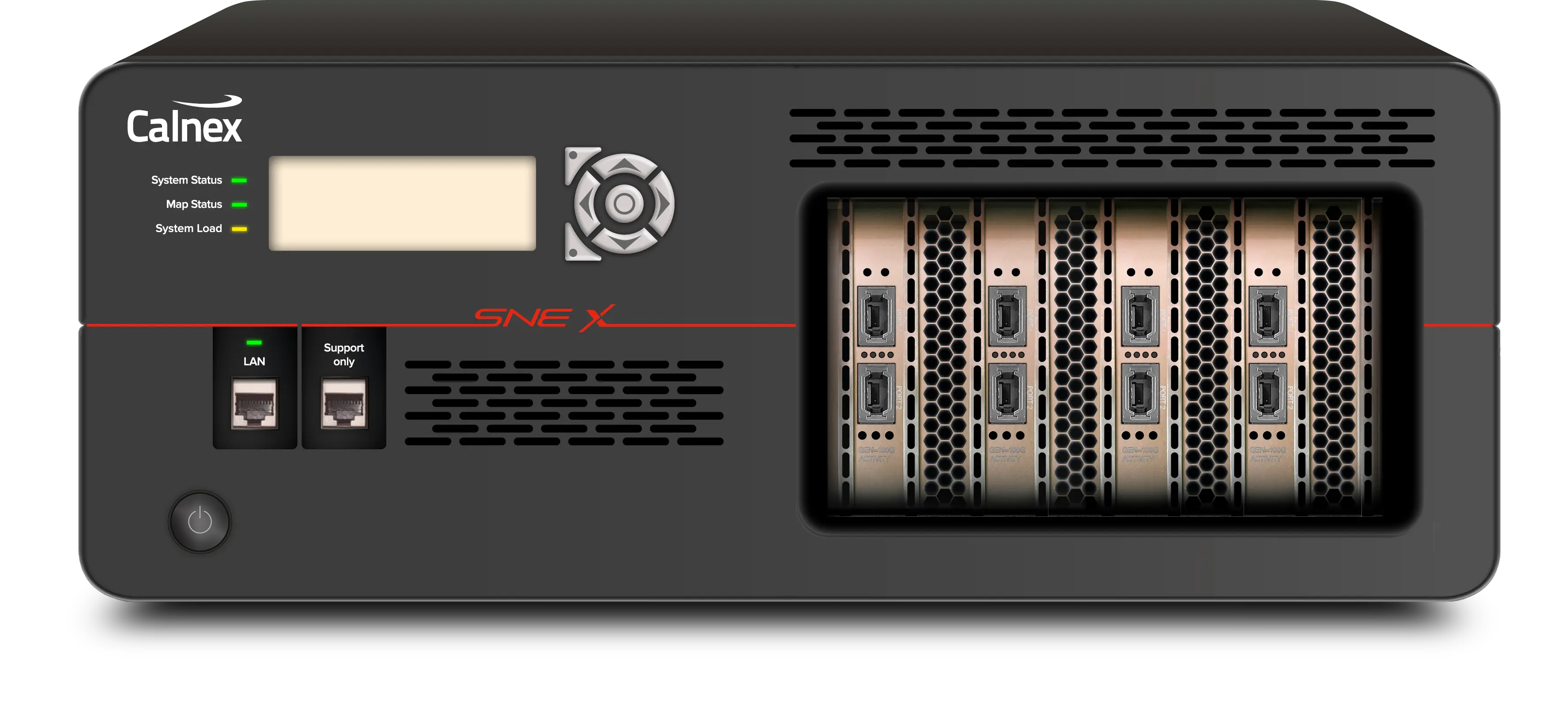
Multi-port network emulator with up to 28 ports and 1GbE to 400GbE wire-rate impairment of hundreds of packet streams.